Blue: observation
The radar has detected an event. This card does not indicate an entry.
Read the description and subsequent messages about the coin.
A card describes a market event. Read the status first, then the facts and earlier messages about the same coin.
Pump Radar video introduction · Register for free
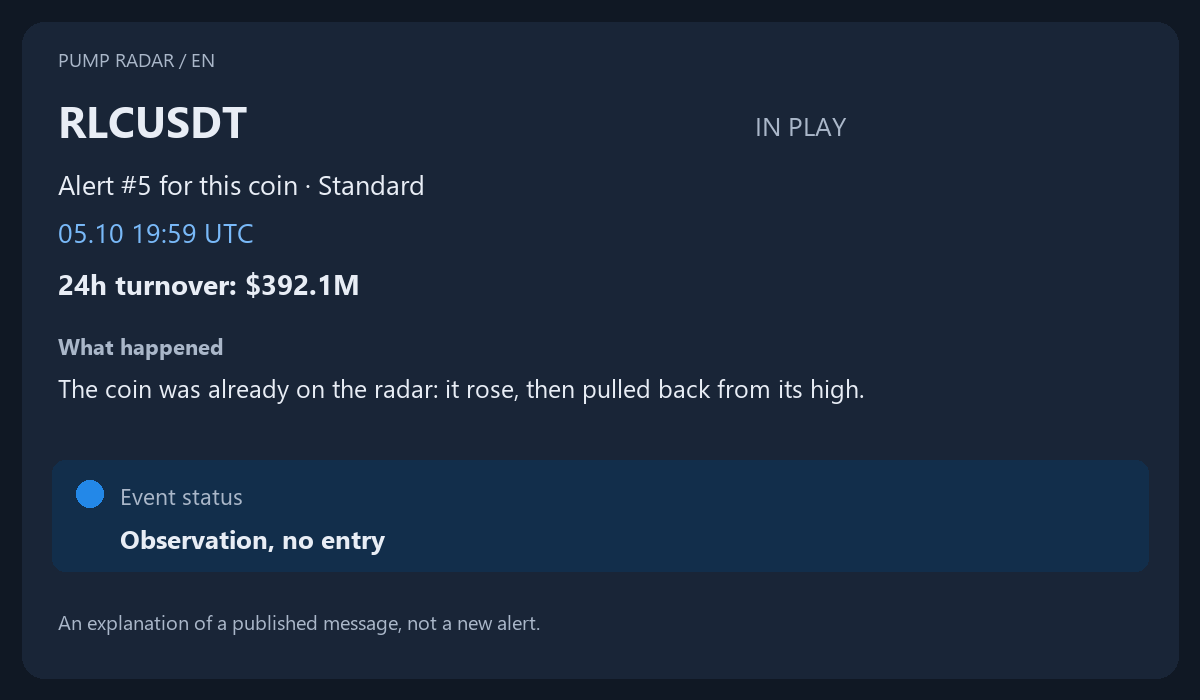
An explanation of a published message, not a new alert.
Coin and type
The ticker identifies the instrument; the type describes the event. IN PLAY in this example describes a rise and a pullback, not a promise of continuation.
Alert number
#5 is the fifth message about this coin in the radar's sequence. It is not a fifth recommendation to buy or an entry-strength score.
Date and UTC
05.10 19:59 UTC is the card's time. Telegram separately displays the message timestamp according to your device settings.
24-hour turnover
$392.1M is the reported turnover. It does not prove future growth or reveal a large trader's position size.
Standard / strong
This grades the radar's conditions. It is not a probability of profit and cannot override a no-entry status.
Description and warnings
They explain the event and its limitations. Blue short context indicates the direction being observed; it is not a complete short-selling strategy.
The radar has detected an event. This card does not indicate an entry.
Read the description and subsequent messages about the coin.
The card contains a restriction or signs that the move may be ending.
Do not treat it as entry confirmation. Within the current card, a higher message number or attention grade does not override a red restriction. Read any later card according to its own current status.
Additional confirmation or a change within the stated zone is needed.
Read the condition and waiting period. An observation zone is not an instruction to buy.
A reference scenario with parameters may be displayed.
The scenario is not an order or a guaranteed outcome. Check the facts, missing conditions and your own plan.
Information is insufficient or statements conflict.
Treat the card as observation. Do not invent a missing scenario.
Silence is not an instruction to close a position. Do not infer a trading action solely from a pause in messages.
The maximum price move in a recap is not a trade's profit. An alert does not promise future growth.